


 Mahnoor Khan
 September 16, 2026
 Junaid AshrafOctober 18, 2024
Google Reverse Image Search is a useful tool for ecommerce businesses, helping them to improve their bottom line.
The technological advancement is compelling ecommerce business owners to build a feature-packed ecommerce store.
Now, it has become easy to incorporate tons of advanced features into online shopping stores. Every possible technology builds a space in the crowded market.
Images play a key role in promoting your online business. Especially in ecommerce business, images can convince shoppers to make a final decision. Reverse image search is unique technology that can optimize your ecommerce store.
Now finding the right image and determining its original source has become easier for marketers.
Whether you want reverse image search online for your ecommerce website, social media platforms, or online ads, Google reverse image search works.
Let’s explore what image search ecommerce process is and how you can utilize it for your business.
Table of Contents
Reverse image search online is a technique that allows you to search for information about an image by uploading it or providing its URL.
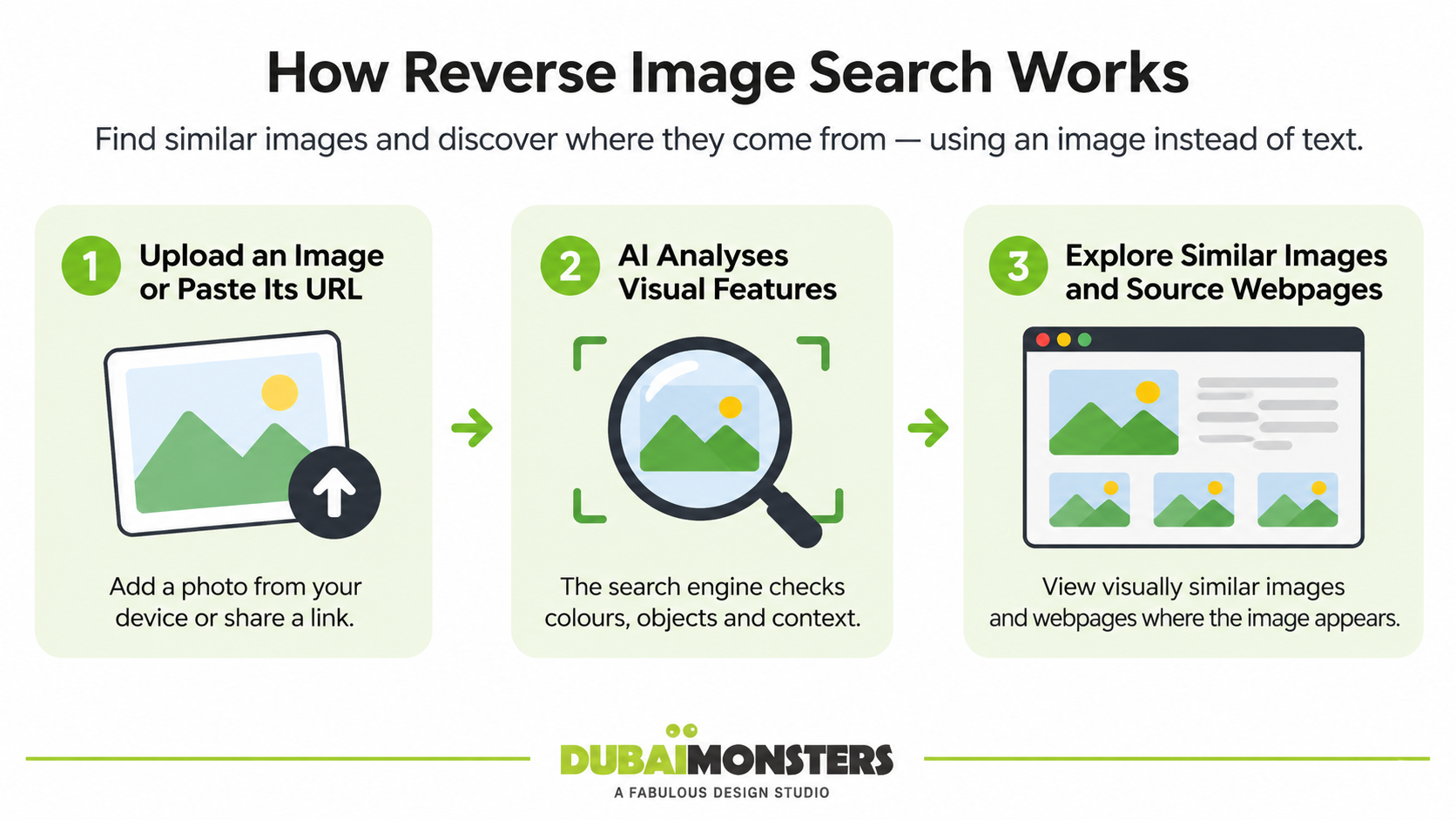
Instead of searching with text keywords, you input the image itself and get visually similar results. This can help you find where the image appears online, identify objects or landmarks, discover similar images, or gather information about the image’s origin. You may also hear it called visual search, and Google Lens is the version most people use on their phones.
With image search ecommerce, now you are not dependent on textual queries. The advanced AI technology, machine learning algorithms and convolutional neural networks, now you can analyze the context of the images and get the similar photos.
Reverse image search technology can do wonders for ecommerce businesses. It help save time and collect useful data from the internet. This useful tool can be used by online businesses and shoppers both looking for products online.
From competitor analysis to market research, and enhancing product listings, there are a number of reasons to incorporate reverse image search technology into your ecommerce marketing strategy.
As an ecommerce business owner, you need to stay updated on the latest trends to improve your business strategy. With the help of reverse image search technology, you can spot trends in imagery and design within your niche, helping you stay ahead of the competition. You can also discover consumer preferences with this technology and analyze which types of images resonate most with consumers.
Read more: 9 Proven Ways to Develop a Strong Digital Marketing Strategy
You can use the reverse image search feature for competitor image analysis. With this technology, you can find out if your competitors are using similar images or styles you are using. This can provide useful insights into the pricing structure, marketing strategies and product images and descriptions your competitors are using. By uploading these pictures, you can also determine where they are used on the internet. This can help you adjust your ecommerce marketing strategies and product offerings and come up with better product designs.
Images on your ecommerce website should be optimized for search engines for better rankings of the website. If your images are properly attributed and connected to your products, it will potentially drive more traffic to your site, higher search engine rankings and more revenue. Remember, image optimization can help ecommerce businesses to drive more traffic for visual searches.
You can now add the alt text, file name and linkages to different sites. Identify keywords associated with high-ranking images. Optimize your product titles to increase the visibility of your store.
Start by collecting images related to your niche or products. This could include images from existing influencers, popular products, or lifestyle shots that resonate with your brand. Use the search results to find visually similar images.
Ecommerce businesses can make the most out of reverse image search features by identifying any unauthorized use of their product images. Track where your product images are being used online to identify unauthorized sellers or counterfeit products. This way, you can protect your intellectual property by discovering instances of image misuse.
As an ecommerce marketer, you always look for high-quality images for your online store to attract more and more shoppers. Thanks to the reverse image search technology, now you can easily find quality products images with alternative angles that you can use on your website. By leveraging reverse image search, you can enhance your product listings in meaningful ways, from improving image quality to improving visibility and attractiveness.
It will help you analyze which product images are gaining traction and find similar images that rank well to understand their features. This proactive approach can help you stand out in a competitive eCommerce landscape and drive sales effectively.
Planning an online store or a redesign? talk to our team to revamp yours!
Implementing reverse image search as part of your strategy can enhance visibility, protect your brand, and improve customer experience. Using reverse image search for your eCommerce business can offer numerous benefits. Here are some key advantages:
Increasing sales through reverse image search can be an effective strategy, especially for e-commerce businesses. When you are able to identify popular visuals, you can create more engaging content for social media, blog posts and targeted ad campaigns. This strategy will eventually help you attract more customers, enhance your marketing efforts, understand the market better, and ultimately increase sales.
Achieving a higher conversion rate is the goal of every ecommerce business. Using reverse image search can enhance conversion rates by using the valuable insights to tailor marketing campaigns. If you notice popular styles or themes, you can easily create targeted ads or recommendations based on this data. By integrating reverse image search into your marketing strategy, you can enhance user experience, improve product visibility, and ultimately boost conversion rates.
With this feature, product discovery will become easier. Utilize reverse image search on your website and allow users to find similar products quickly. It helps customers find products by allowing them to search using images they find appealing, even if they don’t know the exact product name. If a customer sees a product they like, they can upload an image to find similar items, increasing the likelihood of a purchase.
You can add this kind of visual search to your store through a plugin or app for your ecommerce platform, a custom-built solution, or a feature inside a shopping app.
Implementing a reverse image search feature can significantly enhance the shopping experience for customers. Customers can upload an image of a product they like, making it simpler to find similar items without having to describe them in words. This is a time saving option for shoppers allowing them to locate products without navigating through multiple categories, reducing frustration and streamlining their shopping process.
Using reverse image search to track down the source of an image can save you from copyright problems. A reverse search shows where an image appears and who published it first. From there, you can check the licensing terms on the source page or contact the owner before using it. Keep in mind that a reverse search does not confirm a license on its own, so always read the terms before you use a picture.
Keep in mind that product presentation matters a lot, no matter if you are a big or small ecommerce store. It is the most important factor that convinces visitors to make a final purchase decision. Investing in product photography is an amazing idea to make your ecommerce store look great and get outstanding results. Using reverse image search as a tool for inspiration can help you discover new techniques, styles, and ideas that elevate your photography.
Read more: The Art of Minimalism: How to Make Your Brand Look Expensive Without Over-Designing
Allow customers to upload images of your products in use, enabling you to showcase user-generated content effectively. You can create campaigns encouraging users to share their images with your products. Running contests or featuring customer photos can increase engagement and drive traffic to your site. Offering a modern, tech-savvy feature can attract more customers, keeping them engaged and encouraging them to explore more products.
Identify high-ranking images to optimize your own product images for search engines, increasing visibility and driving more traffic to your site. See how your images compare to competitors, allowing you to adjust your photography or product presentation.
Want more traffic and sales from your online store? Get in touch for a free consultation.
Performing a reverse image search on Google is simple and can be done in a few easy steps. Here’s how:
There are a number of reliable and useful reverse image search tools available that you can use to improve your visual content and create a strong digital presence. Here are some popular ones and what each is best for:
| Tool | Best for |
| Google Images and Google Lens | Finding sources, similar products and matching pages. Free and widely used. |
| Bing Visual Search | A second opinion with shopping-style results. |
| TinEye | Tracking where an image appears and finding older or edited versions. |
| Yandex Images | Finding similar images and different crops that other engines miss. |
| Pinterest Lens | Spotting visual trends and similar products from Pins. |
| Pixsy | Monitoring for stolen images and taking action. |
| Berify | Scanning multiple search engines for image misuse. |
| Image Raider | Quick checks of where an image is used online. |
| Openverse | Not a reverse search tool, but a library for finding openly licensed images. |
Incorporating reverse image search online into your eCommerce strategy can enhance your brand’s visibility, protect your intellectual property, and improve customer engagement. This feature not only makes the shopping process easier for customers but also helps your eCommerce business stand out in a competitive market.
If you haven’t implemented this feature into your online shopping store, give it a try to create a hassle-free shopping experience for your customers
Ready to build or improve your online store? Contact Dubai Monsters experts to start your project.
It means searching with an image instead of words. Ecommerce businesses use it to find where a product image appears online, spot competitors selling similar items, and catch others using their photos.
Mahnoor Khan
September 16, 2026  Mahnoor Khan
April 1, 2026
Table of Contents
